
LOGOUT ISSUES SCRIPT
Q. Things to remember in regards to logging out:
1. BEFORE LOGGING OUT: Ensure you are set to Off Duty status or Sleeper Status that you have ended any period of automatically recorded Driving time
2. ALWAYS LOG OUT AT THE END OF YOUR SHIFT: This will help you avoid mistakes and malfunctions on your log records
3. The application will not allow the driver to log out unless they are set to OFF DUTY
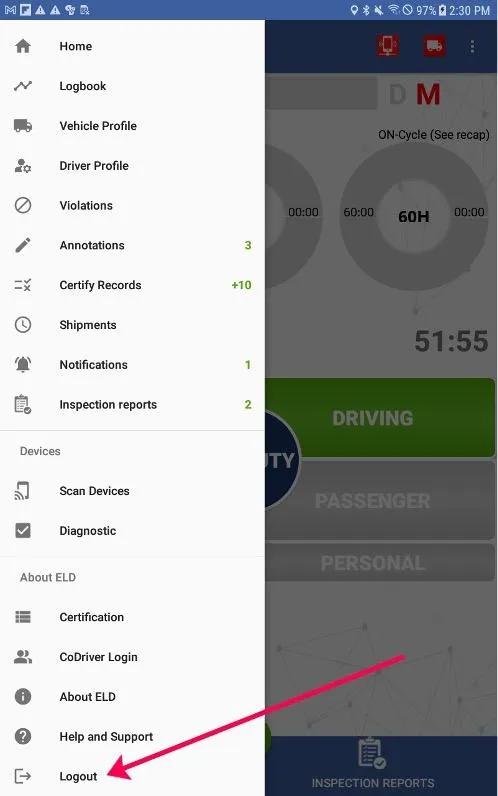
R. TO FULLY LOG OUT:
1. Tap the Main Menu icon (3 horizontal white lines in upper left corner)
2. Tap Logout at the bottom of the menu list
3. If you have logs from the past week to certify, you will be prompted to do so by a popup message. You must respond to this prompt to complete the logout process
➢ We recommend you always certify logs at the end of every shift. You can go back later to uncertify them if you need to make changes

© 2023 Transcare - All Rights Reserved