
EXPORT LOGS TO FMCSA/ TRANSPORT CANADA LAW ENFORCEMENT OFFICIAL SCRIPT
How to export logs to the FMCSA (or Transport Canada if set to Canadian ruleset/ traveling in Canada) via the driver’s application
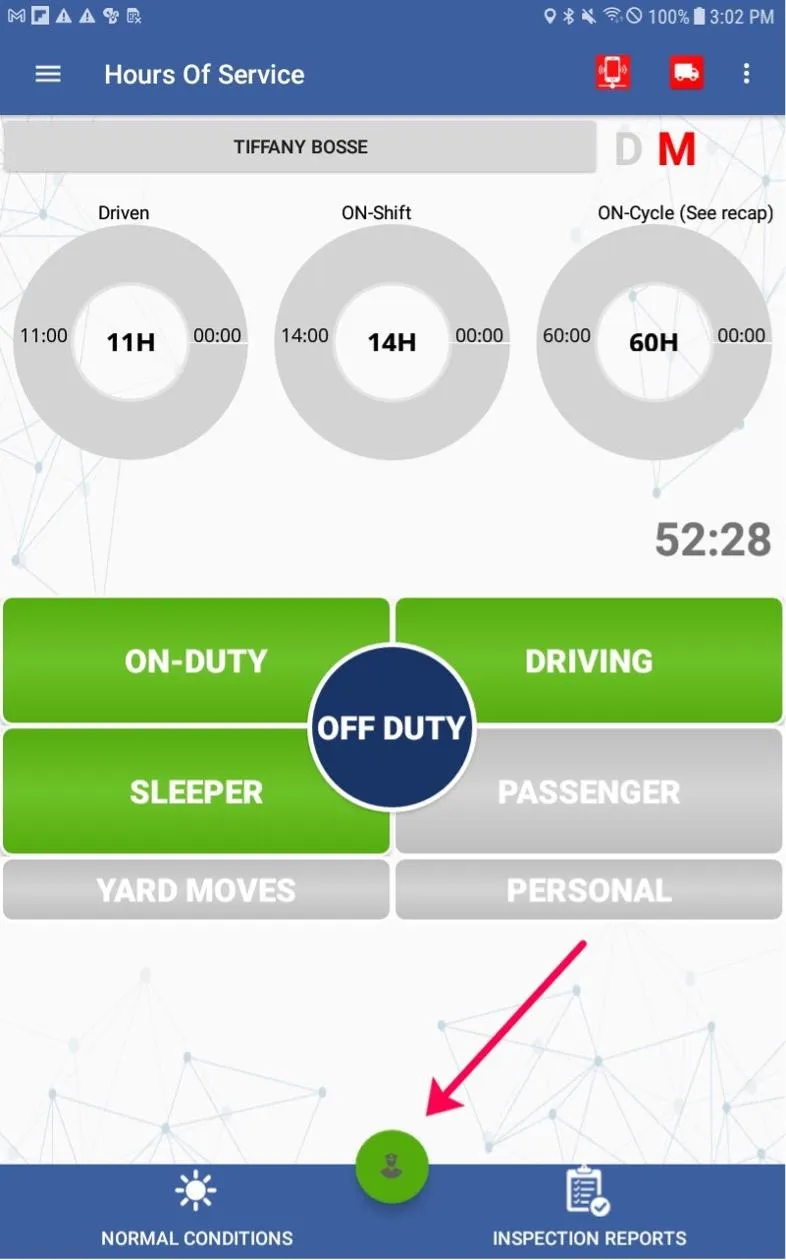
Y. Select the Policeman icon on the main Hours of Service page:
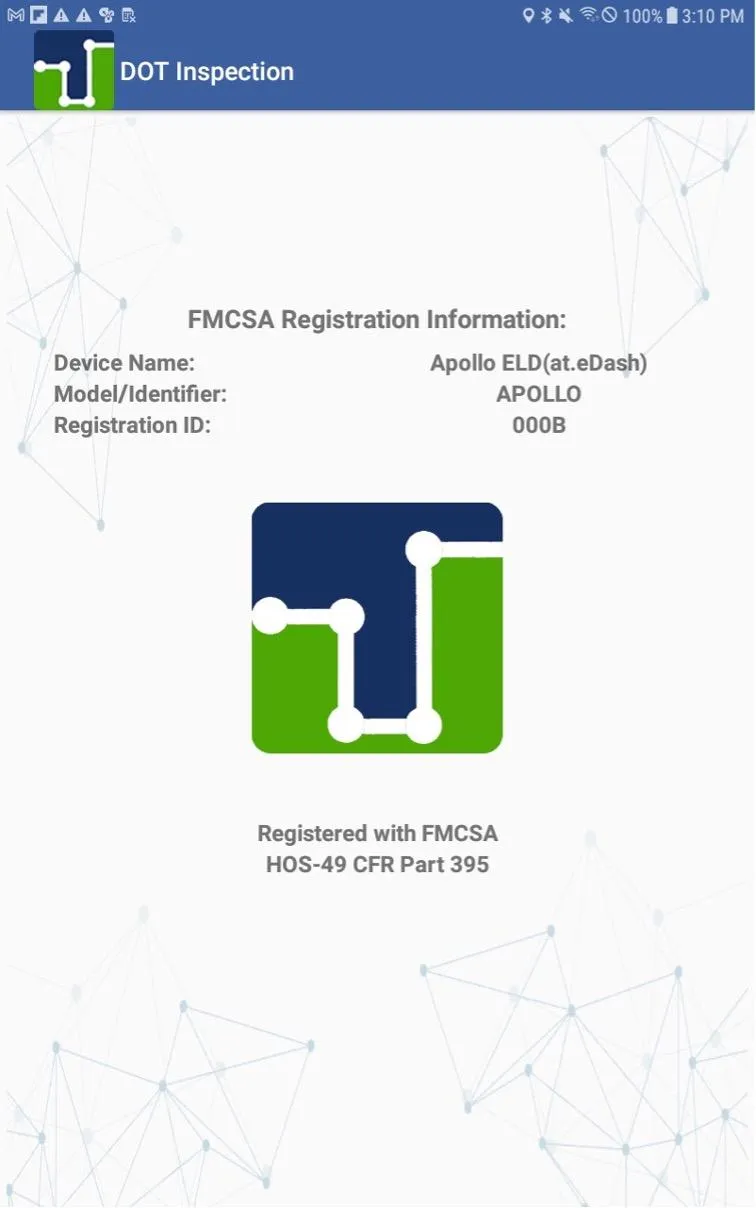
Z. The driver will be sent to a page showing the ELD’s FMCSA Registration Information
1. Ensure they are on the correct page (If the driver is set to a Canadian ruleset then Canadian Registration information will show, instead):
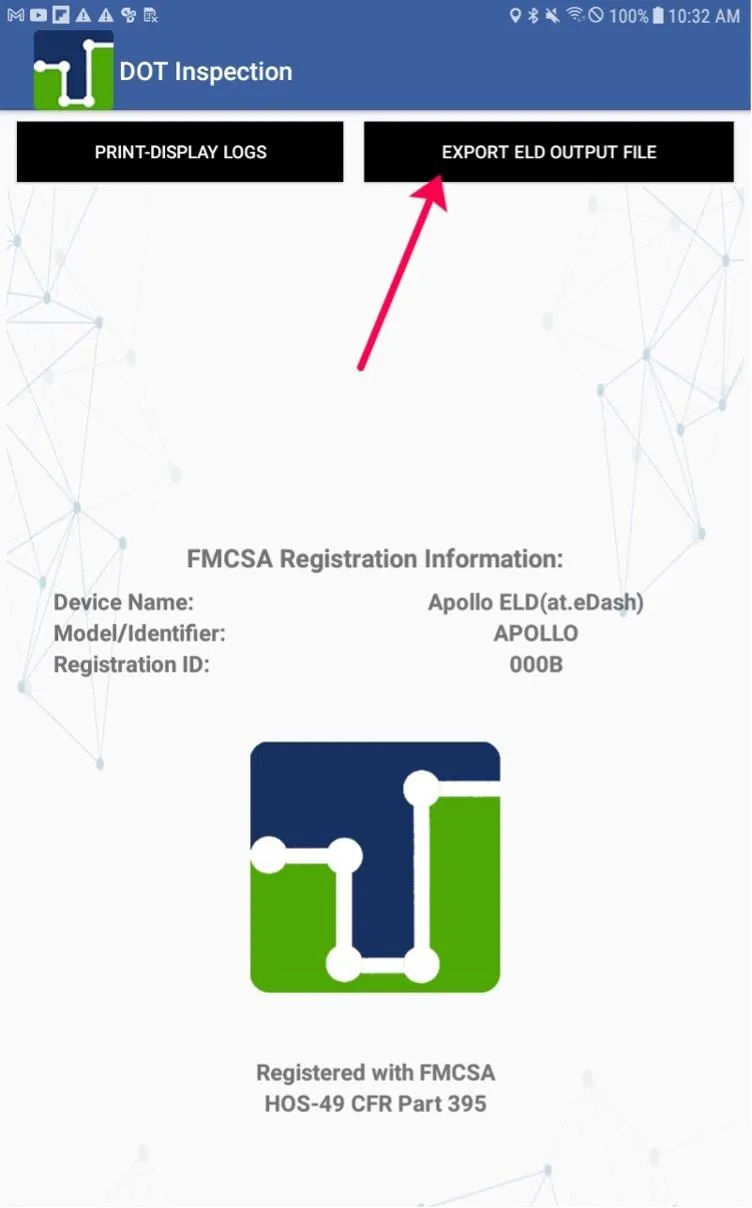
2. In the top right corner of this screen there is an icon that states EXPORT ELD OUTPUT FILE. Instruct the driver to select this icon:
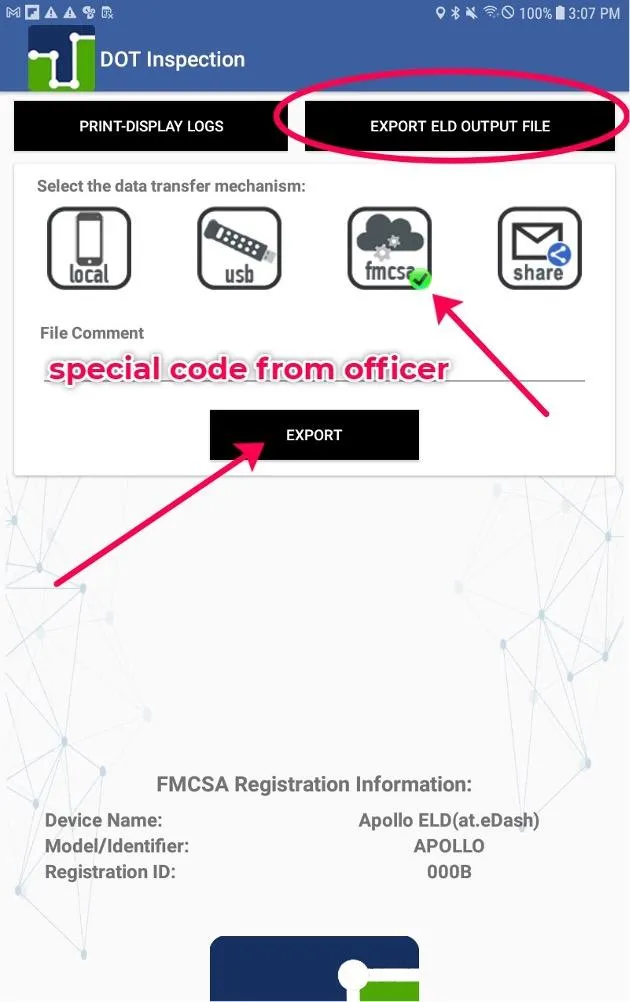
3. Select the 3rd icon available called FMCSA
4. The driver will need to input a “file comment”
➢ Note that the law enforcement officer will give them a special code that they will need to input in this section
5. Once the driver has selected FMCSA and entered the file comment given to them by the officer, they will click on EXPORT to have the system directly transfer the logs to the FMCSA

© 2023 Transcare - All Rights Reserved