
RULESET/ EXCEPTION CHANGE SCRIPT
S. How to manually change the driver’s current ruleset via the driver's application.
Note: that a driver will be instructed to manually change their ruleset when crossing borders if applicable)
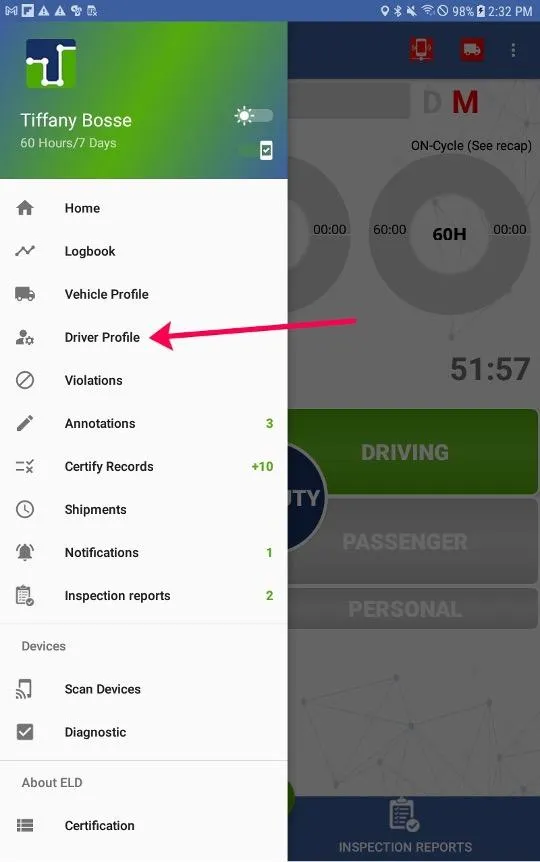
1. Select the Main Menu icon (3 horizontal white lines in the upper left corner)
2. Select Driver Profile
3. Scroll down until you reach the ruleset option. Access the dropdown menu to select a new ruleset by tapping the ruleset that is currently displayed
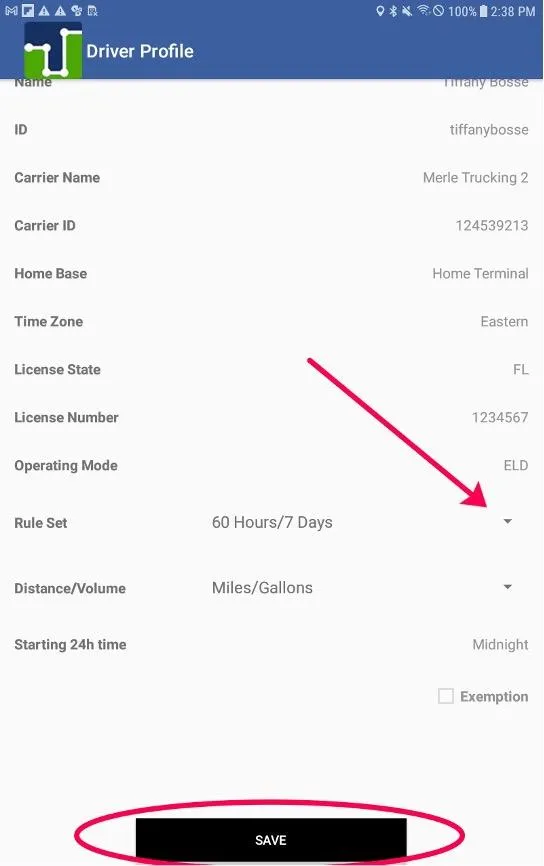
4. Ensure the driver taps Save after making their selection
T. How to manually apply an Exception on the driver’s application.
NOTE: the driver must have Exemption Permissions enabled from the Admin Portal in order to apply an exception in the app
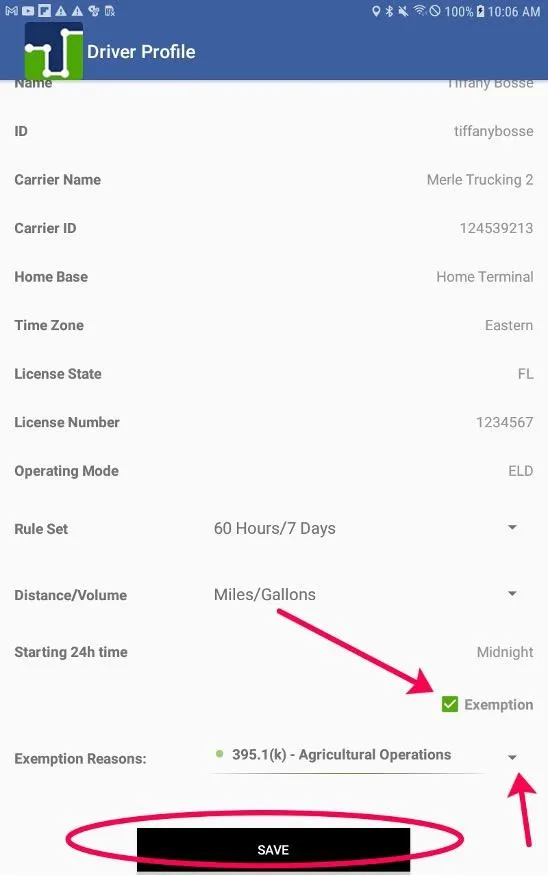
1. Open Main Menu and select Driver Profile
2. Tap the Exemption checkbox
3. Tap on the Exemption Reason dropdown menu to select an exemption from the list
4. Tap SAVE once changes have been made
TIME ZONE CHANGES: How to change timezone via the driver’s application
Note: that it is not possible for the driver to change their set time zone on the application. This can only be done on the administrative portal.

© 2023 Transcare - All Rights Reserved