
CO-DRIVER LOGIN SCRIPT
There are two ways a co-driver can login while their partner driver is already logged in
W. First Option:
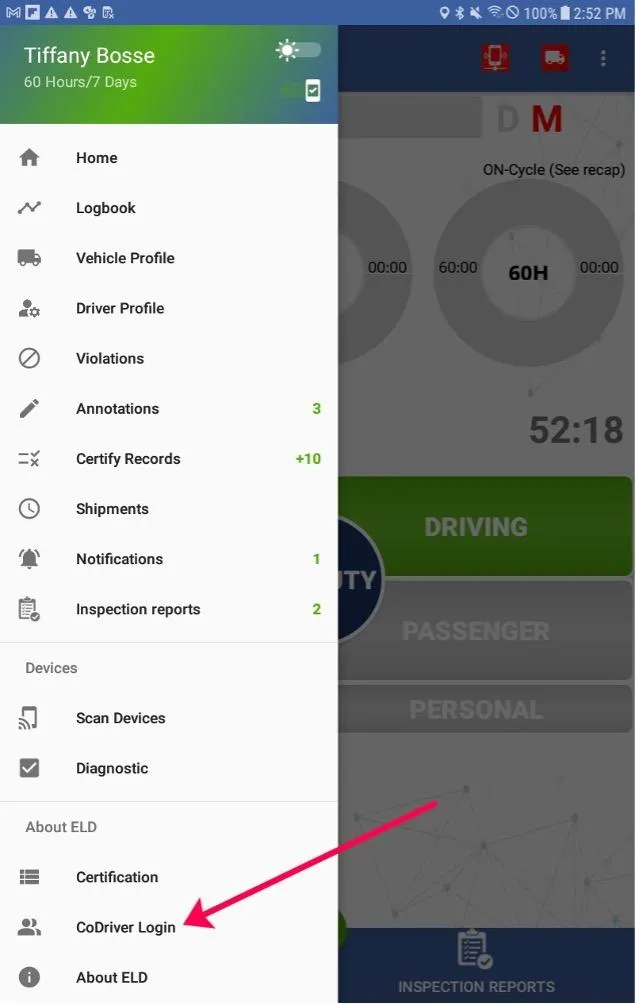
1. Go to the Main Menu by clicking the 3 horizontal white lines in the upper left corner
2. Select Co-Driver login and
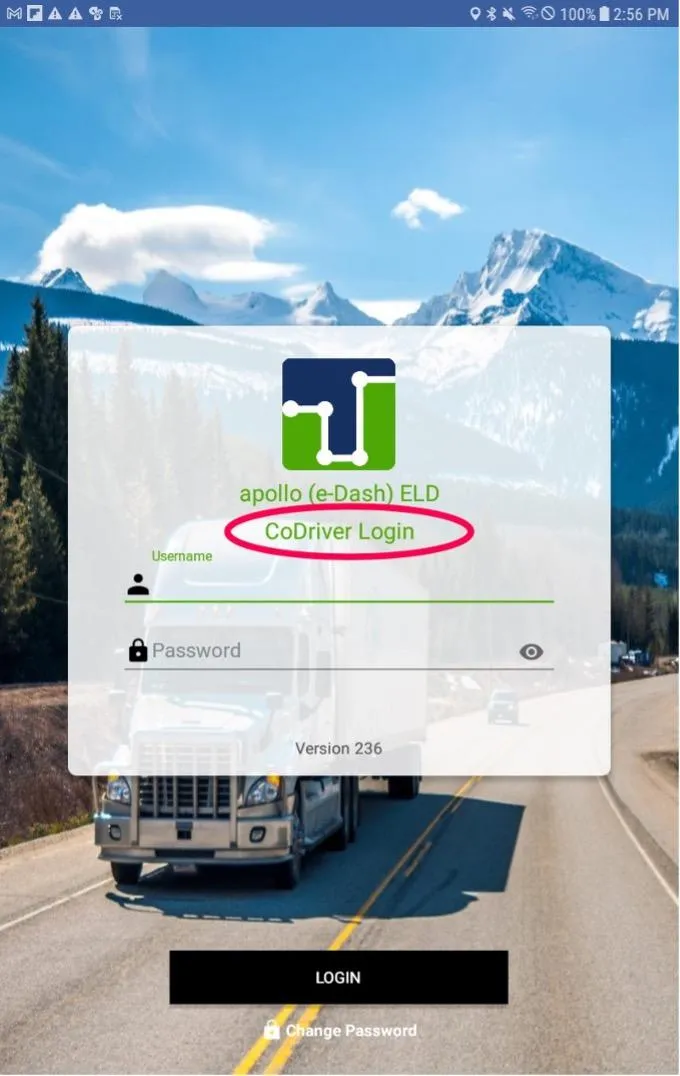
3. Co-driver must input their username and password and tap Sign In
1. The Co-Driver will now be automatically set as the active driver
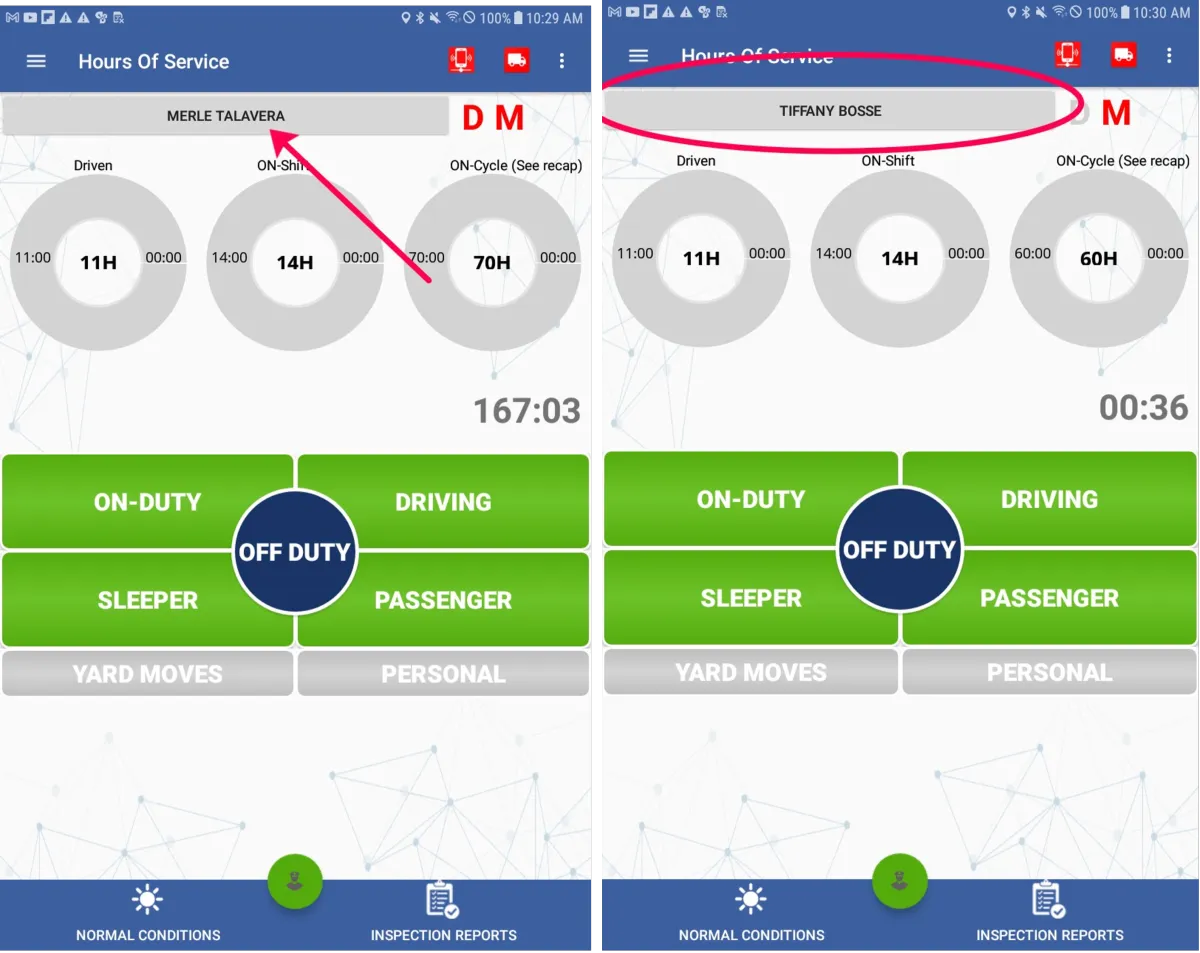
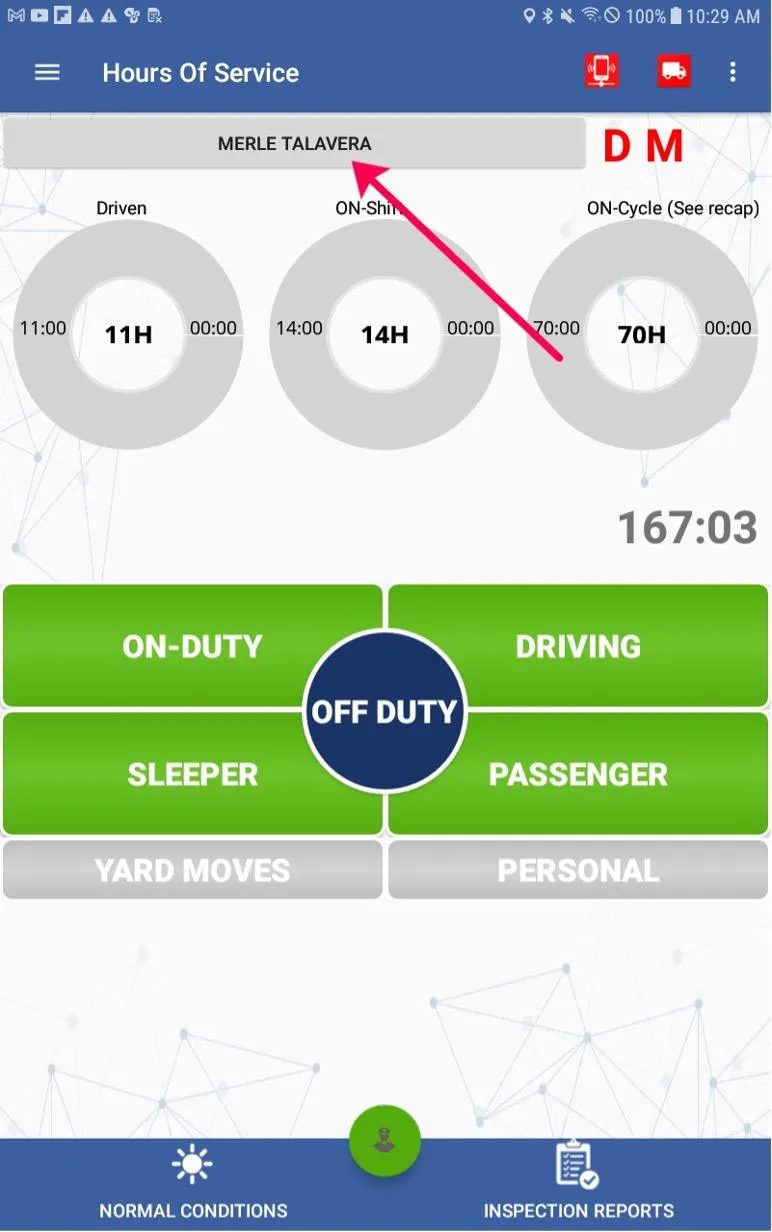
2. When the Co-Driver logs in they will see their name appear on the top left and the passenger feature will now be available to use.
3. To switch between drivers the driver will select the name on the top left and it will switch back to driver 1
X. Second Option:
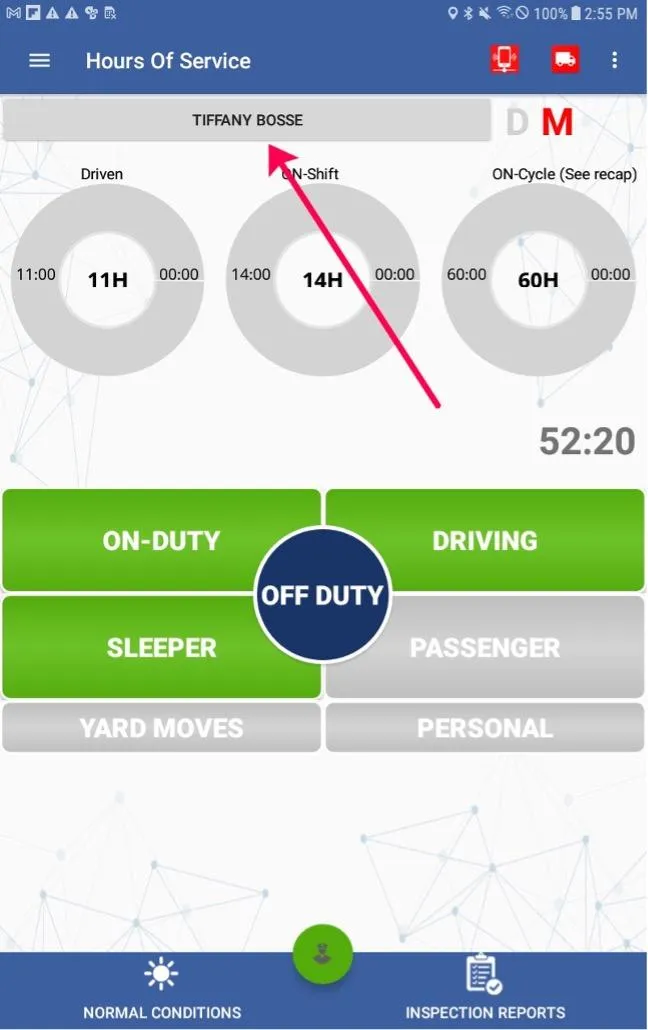
1. On the Hours of Service home screen, Tap on the name of the driver that is currently logged in
2. A prompt for the co-driver to login will appear:
3. Once the Co-Driver logs in they will see their name appear on the main Hours of Service page where the original driver’s name was before:

© 2023 Transcare - All Rights Reserved