
DASHBOARD
The ELD portal has two different dashboards.
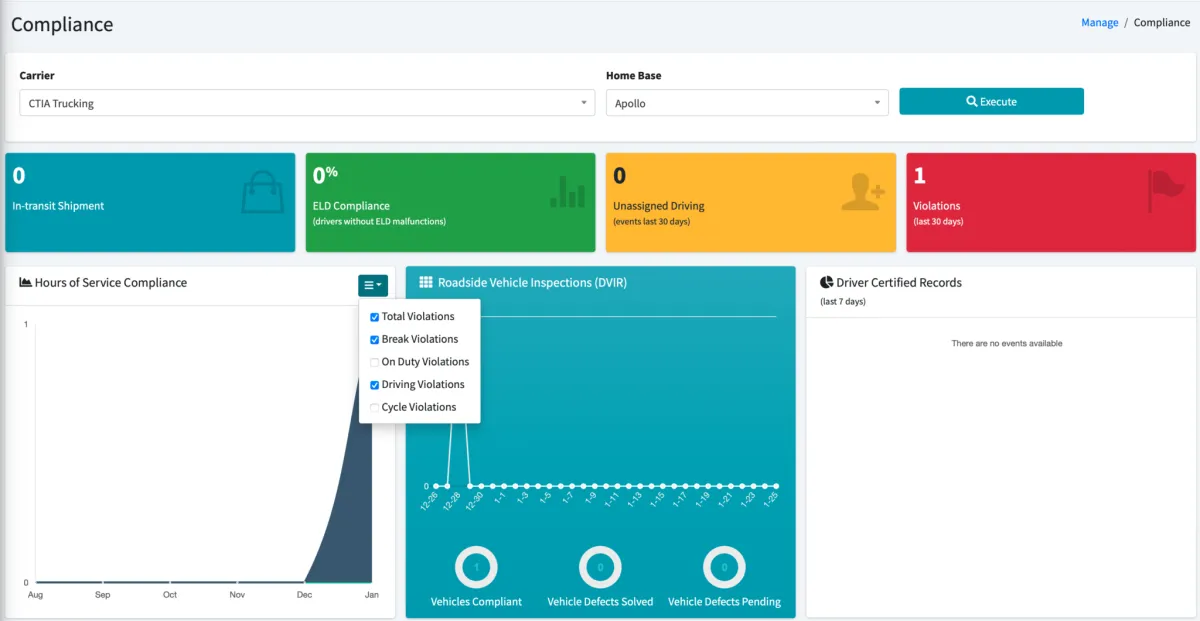
Compliance dashboard: Shows different metrics to help you run your business
Number of shipments you currently have in transit
Percentage of your ELD devices that are compliant (devices without malfunctions and that are in compliance with regulations)
Number of unassigned driving events for the last 30 days
Number of HOS violations in the last 30 days – This number should be as close to zero as possible
Hours of Service Compliance graph shows you all the different violations that you have in the last 30 days. On the top right you can filter by violation type
Roadside Vehicle Inspections (DVIR) graph shows vehicle inspections (DVIRs) performed in the last 30 days. You can see how many of them were compliant, you can also see how many had defects and if they were resolved or not
Driver Certified Records chart shows you the proportion of certified log records in your system. If a significant portion are Not Certified, you should instruct your drivers to certify them as soon as possible.
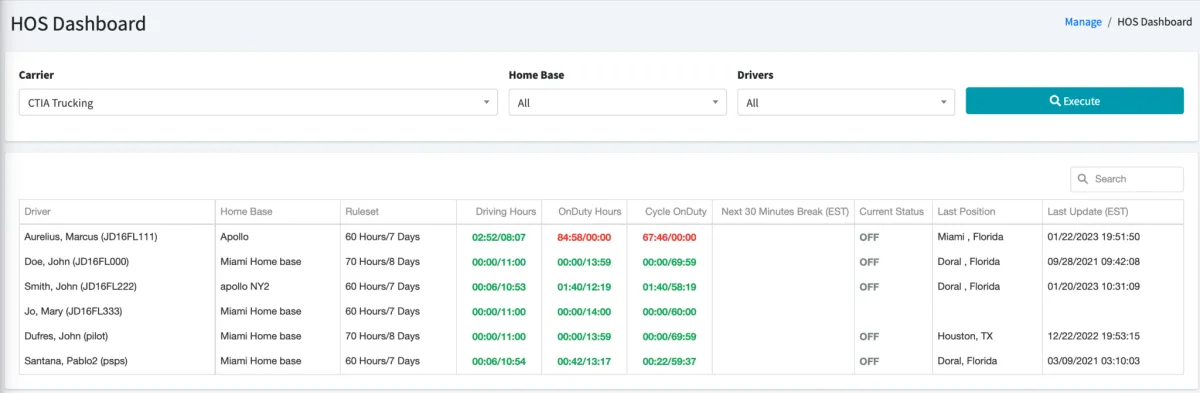
Hours of Service Dashboard: Shows all your drivers’ statuses as of the most recent ELD device check-in, including the following information:
Current Ruleset driver is using
Remaining time left for Driving, Shift and Cycle limits, as well as time remaining until 30 minute break (if applicable)
GREEN remaining time means driver has more than 1 hour remaining
YELLOW remaining time means under 1 hour remaining until violation
RED remaining time means under 30 minutes remaining until violation or a violation has occurred
Last Duty Status
Last Location
Time of the most recent update/ELD device check-in
You don’t have to refresh or execute the report again as it will refresh automatically every few seconds.
You can also sort the list by clicking on any given column header.
© 2023 Transcare - All Rights Reserved