
DVIR - WORK ORDER
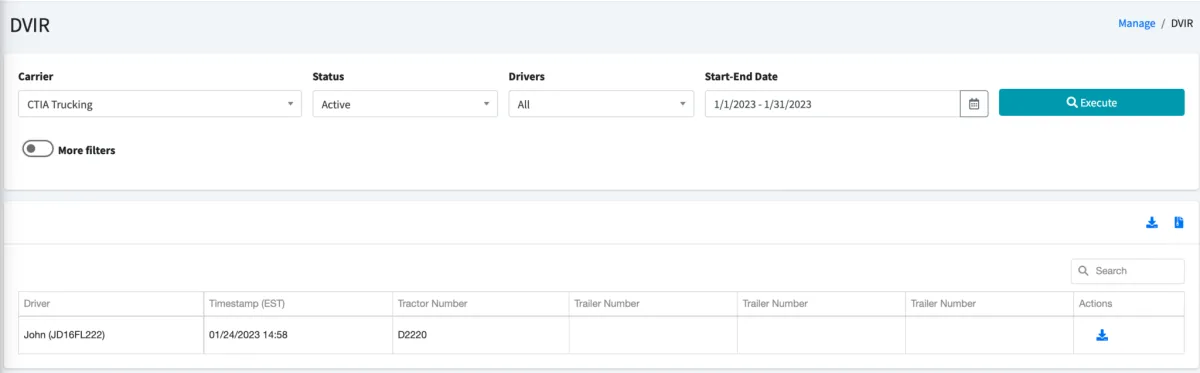
The DVIR module helps you run a report to review the Driver Vehicle Inspection Reports (DVIRs) completed by your drivers.
Use the Drivers dropdown to select All drivers or a specific driver
Use Start-End Date to select a date range
Click on Execute to pull search results
Additionally, you also have More filters if you want to be more specific on your search:
Tractor number
Trailer number
Vehicle condition For DVIR
Reports made in the US or Canada/ Type of Report
Specific defects
Actions shown next to each search result will allow you to download the DVIR report, either with or without pictures (if available):
The DVIR module is compliant with current regulations. It features a 3-signature process to address defects: The driver identifying the defect, a mechanic involved in fixing the defect, and, upon the return of the vehicle back to the fleet, a new driver or administrator performing a vehicle inspection. This final step requires the last person to sign and close the three-signature loop indicating that all the defects were fixed, and the vehicle is ready for operation.
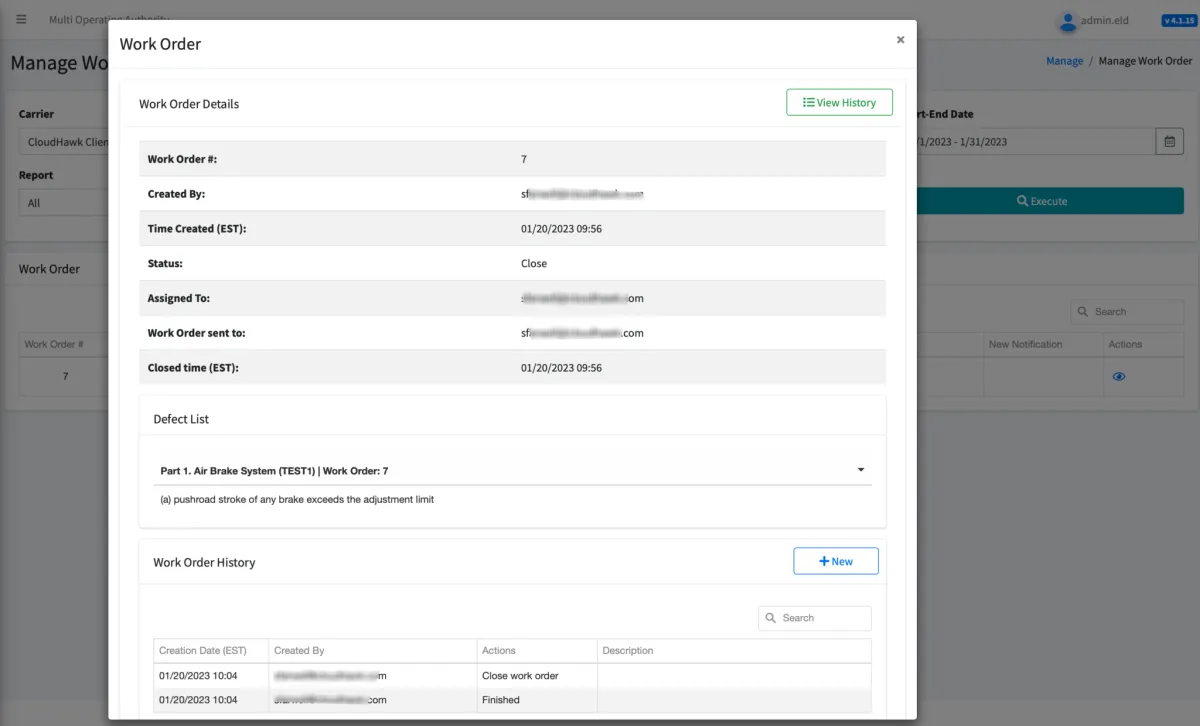
If you opted for the Work Order module, which is an enhanced vehicle inspection solution, you would also be able to select a defect (or group of defects) and share this information with different external organizations (i.e., a mechanic shop). Once you send that invitation out to the desired organizations, they can pick this job and communicate with you about it via the Portal. They will be able to ask you questions and send quotations, and you can accept or deny offers. This is an ongoing process that is finished once the defect has been fixed and you have paid for the work order. You can cancel any work order at any time.
© 2023 Transcare - All Rights Reserved