
IFTA - ENHANCED IFTA
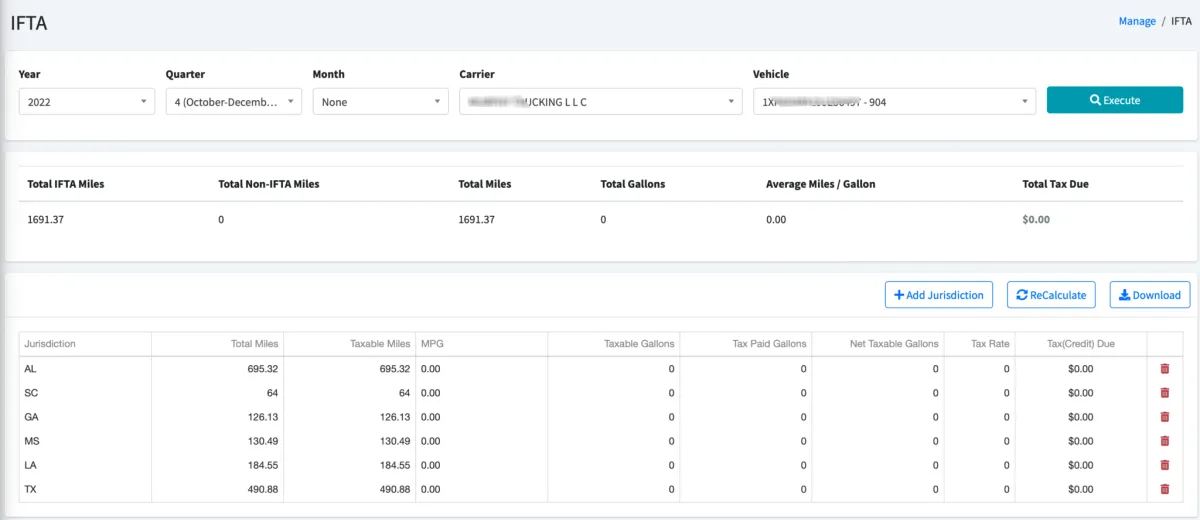
The international fuel tax agreement (IFTA) feature allows you to run monthly or quarterly IFTA reports to export to different agencies. The report will show you the total mileage and fuel gallons paid within each different jurisdiction of the US and Canada. You can filter the report by Year, Quarter or Month time periods and by Vehicle. You just need to input the fuel tax rate for each jurisdiction and Recalculate the report. At the end you can click on Download and use the downloaded PDF file to share with the corresponding agency. You can also add or delete jurisdictions accordingly.
If you subscribed to the Enhanced IFTA report, additional tools are included to make this process a lot easier. With the Enhanced IFTA report you don’t need to find the fuel tax rate for each of the jurisdictions and the corresponding time period. This is automatically recorded in the system when you add a new vehicle. The system uses the VIN number to search a public domain DOT database to find specifics about this vehicle (including the fuel type). With the fuel type, the system can use a different public domain database to find the fuel tax rate for that type of fuel for each specific month of the year. This automated process can save you many hours of time!
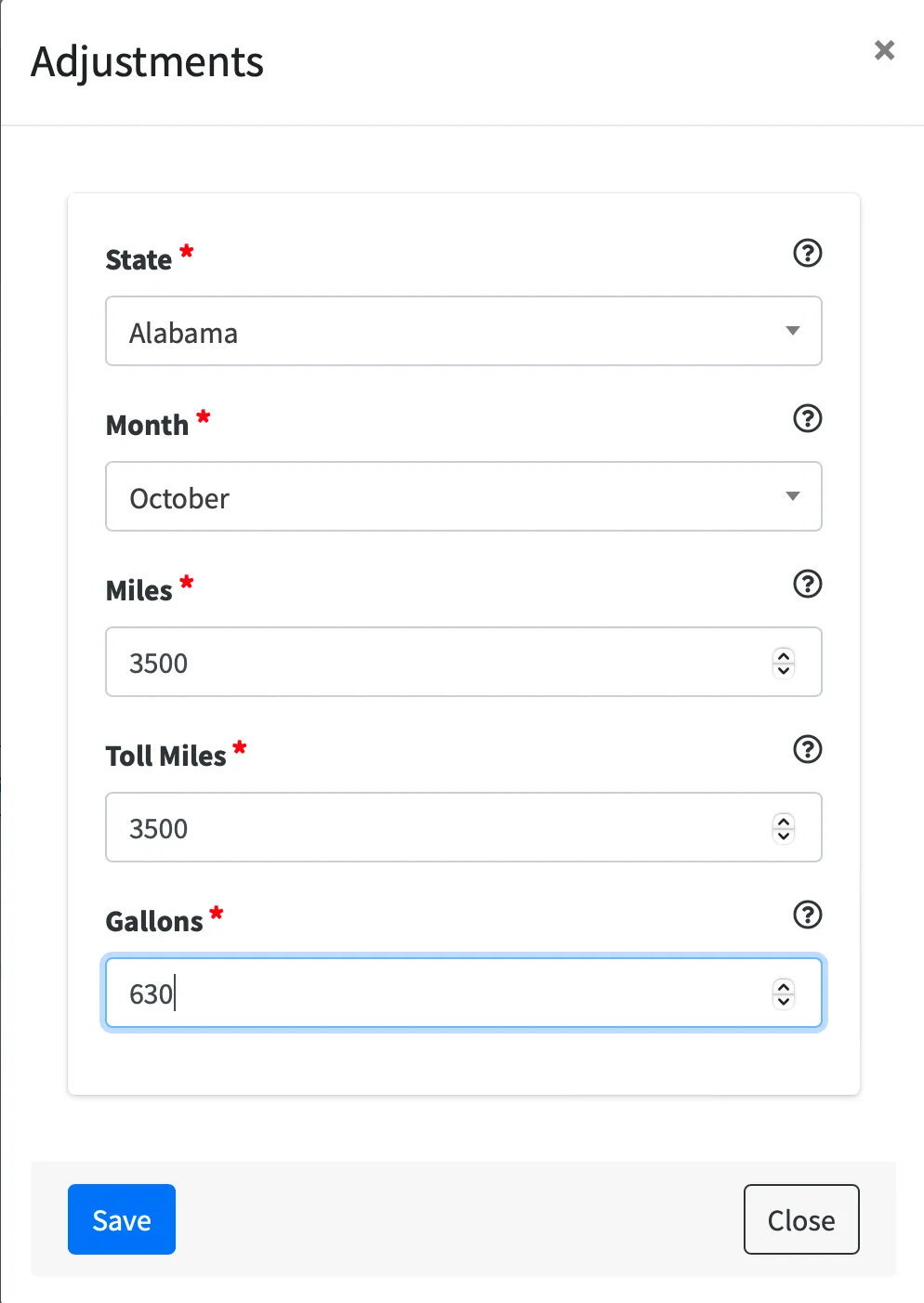
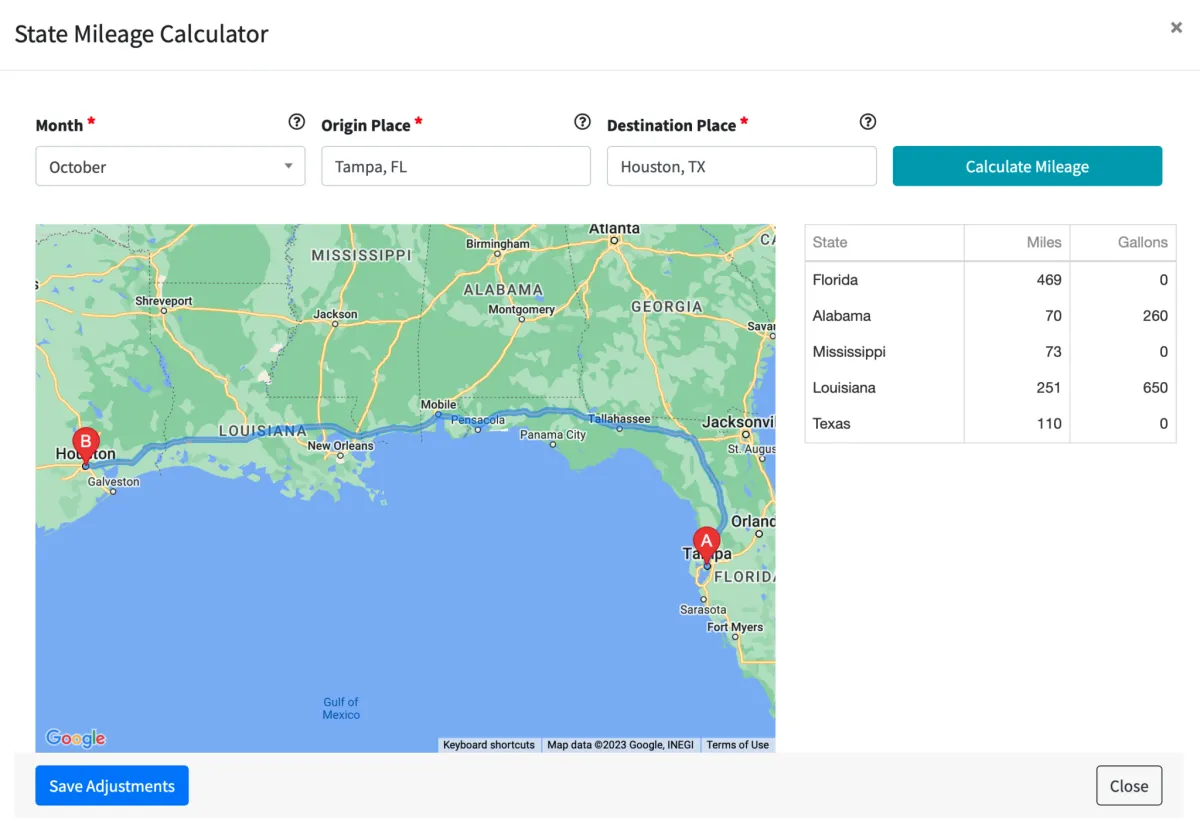
With the Enhanced IFTA report you can also make adjustments over time. The system will save these adjustments so that at the end of the quarter you will be able to see all previous adjustments made to your IFTA report. You can run the report including or excluding toll miles. The Enhanced IFTA tool also allows you to calculate distance based on a route in case you are missing trips.
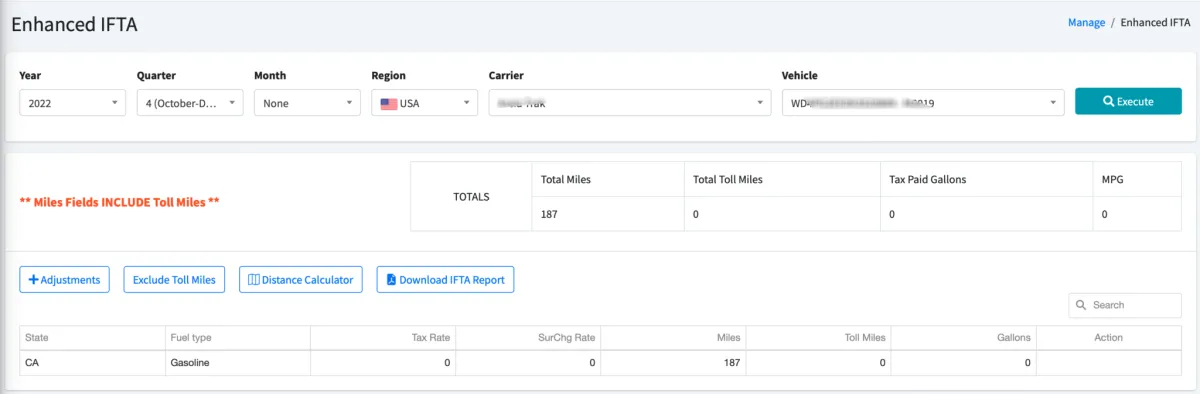
To add an adjustment just click on the Adjustment button:
At the end of the quarter just click on Download IFTA Report:
Select a Month
Enter an address for the Origin Place and Destination Place
Click Calculate Mileage to view mileage by state results. You can edit the mileage per state and the quantity of fuel purchased
Click on Save Adjustments

© 2023 Transcare - All Rights Reserved