
SHIPMENTS
An ELD requires a Shipping Document number or the Shipper Name with the Commodity being transferred.
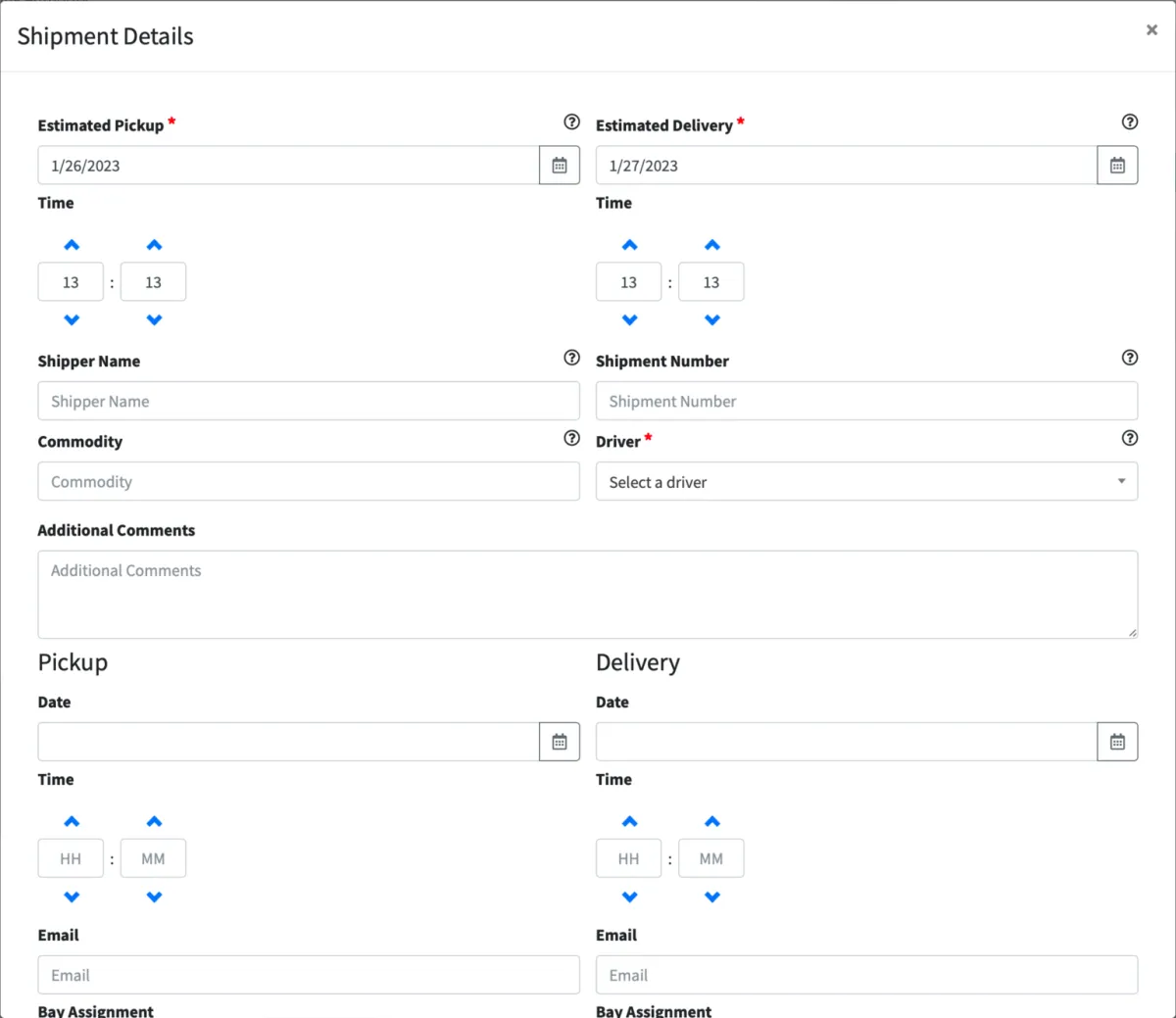
Drivers can create shipments directly on the ELD app or shipments can also be created here in the Portal. Input the following info when creating a shipment:
Estimated Pickup time (required)
Estimated Delivery time (required)
Shipper Name (name of company or entity shipping the goods)
Shipment Number (the shipping document or BOL number)
Commodity being shipped
Select the Driver delivering the shipment: With this you are assigning the shipment to this specific driver
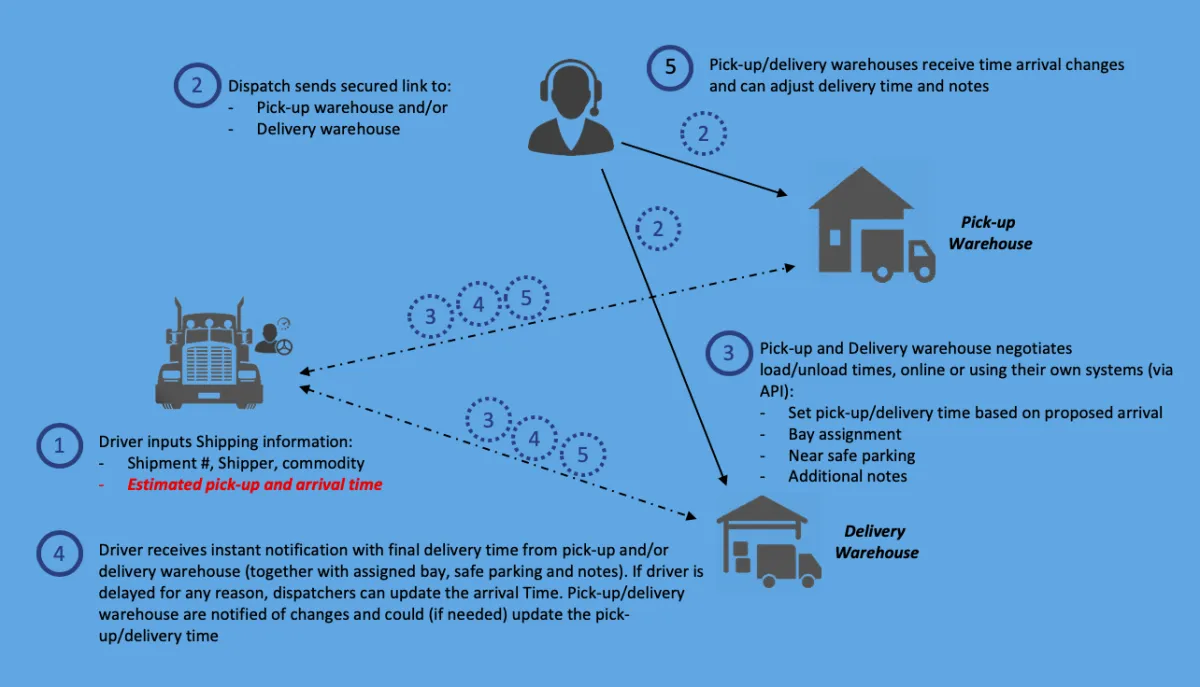
Shipment information can be shared with external organizations by entering the Pickup and/or Delivery information. Fill in the destination Email address for the shipper and/or receiver to share with them a link to this shipment. Warehouse personnel can make updates (like estimated arrival time, bay assignment, recommended parking, etc.) which are sent in a matter of seconds to the driver via the application and updated on the Portal.
Please follow this diagram to understand the communication flow:
© 2023 Transcare - All Rights Reserved