
LOG EDITS
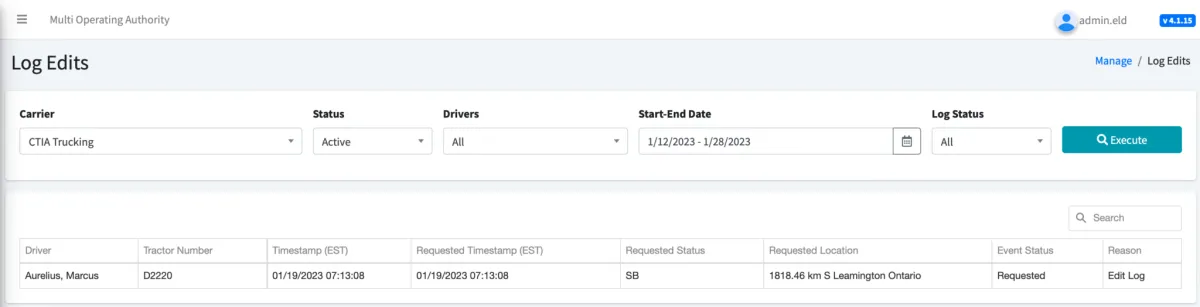
You can quickly check the status of carrier proposed edits by going to the Log Edits tab.
Searching/Filtering Proposed Log Edits:
1. Use the Drivers dropdown menu to select All drivers or search and select a specific driver
2. Use the Start-End Date to set a range of dates to search
3. Use the Status dropdown to filter by rejected, assumed, or recently requested carrier proposed edits.
Requested: This log edit has not been reviewed by the driver yet and/ or is pending approval or rejection
Assumed: The driver accepted the change
Rejected: The driver denied the change and a new carrier-proposed edit must be done if you want to propose a new change again.
4. Click Execute
5. On the result screen, you can see the driver’s name, the tractor number, the timestamp for the underlying log event and the timestamp when the carrier proposed change was made. Both the original duty status and the requested new duty status will show as well.
6. Sort search results by clicking on the column headers

© 2023 Transcare - All Rights Reserved