
UNIDENTIFIED LOGS
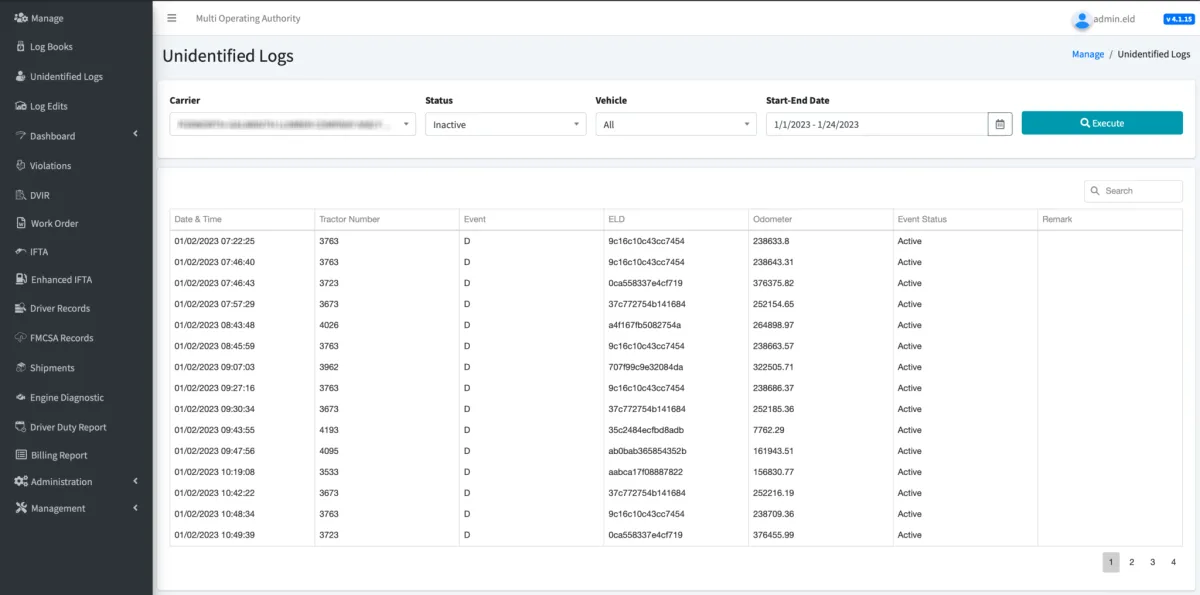
You can easily find any unidentified driving time by going to the Unidentified Logs menu option.
Searching for Unidentified Logs: Here you have the option to filter your search for Unidentified Logs by Status (Inactive or Assumed), Vehicle, or Start-End Date
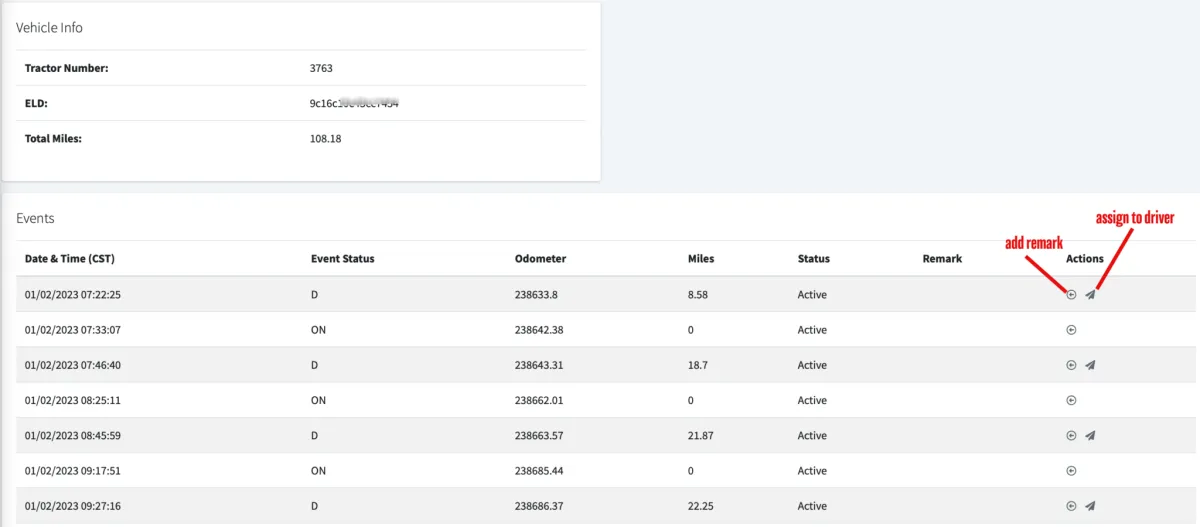
We recommend setting the Status to inactive, selecting all vehicles, and selecting the desired start and end date. Click Execute to run the report. You will now see every unidentified driving event that has not yet been assumed by a driver, as well as the timestamp and associated tractor number. With this information, you can now go back to the Vehicle dropdown, select that specific vehicle, and run the report again.
Assigning Unidentified Logs: Now you can add annotations or assign the driving time to a specific driver. Please keep in mind that the drivers own their logs, and once you have assigned an unidentified driving record to a driver on the portal it will then be up to them to assume or reject it via the application before it is applied to their logs.

© 2023 Transcare - All Rights Reserved